TalTech’s vision
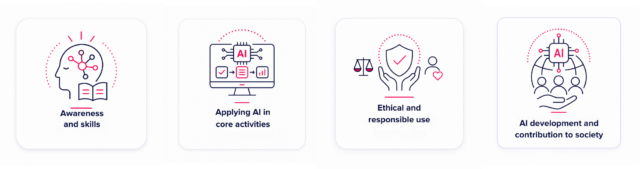
TalTech uses artificial intelligence to support teaching, research, work, and support activities. The university’s aim is to use AI solutions lawfully, securely, purposefully, and ethically, while maintaining meaningful human control and responsibility. TalTech supports users with centrally managed tools, guidelines, training, and advice.
Rules in force at the university
The general framework for the use of artificial intelligence at TalTech is established by Tallinn University of Technology’s Rules for the Use of Artificial Intelligence. The Rules are supplemented by good practice in teaching and learning, data protection and information security requirements, research and development requirements, and additional guidelines applicable within structural units. A field-specific guideline may impose stricter conditions than the general rule.
Field-specific guidelines may establish additional or stricter requirements for the use of AI. In teaching and learning, the conditions of the course and the specific assignment must also always be taken into account.
Five Principles for Using AI
- Use AI as a supporting tool.
AI must not act as an independent decision-maker in matters that may affect a person’s rights, obligations, opportunities, or status. - Maintain meaningful human control.
Review AI output before using it and, where necessary, correct, supplement, or reject it. - Responsibility remains with the user.
The user is responsible for ensuring that the data entered is permitted, that the output is accurate and of sufficient quality, and for its subsequent use. - Use only necessary and permitted data.
Enter into an AI solution only information whose processing is necessary for the specific task and permitted by law, contract, and university rules. - If in doubt, seek advice before use.
A preliminary assessment or approval may be required if the use involves restricted data, may affect a person’s rights or status, involves elevated risk, or if it is unclear whether the use is permitted.
TalTech’s Key Documents and Guidelines on AI Use
When selecting and using an AI solution, follow these documents:
Tallinn University of Technology Rules for the Use of Artificial Intelligence – general principles, conditions, restrictions, and responsibilities regarding the use of AI;
Good Practice for the Use of Artificial Intelligence in Teaching and Learning – guidelines for students and teaching staff;
Rules for the Processing and Protection of Personal Data – requirements for the use of personal data;
Information Security Requirements – requirements for protecting the university’s information and information systems;
European Union Artificial Intelligence Act – the European Union legal framework applicable to AI systems.
Using AI Solutions at TalTech
Prompting means the skill of giving clear and purposeful instructions to an AI (e.g. ChatGPT, Copilot) in order to get an accurate and expected response. This skill is useful in learning, research, project management, and everyday work.
Basic rules
- Be specific and precise.
Bad: “Tell me about projects.”
Good (student): “Make a 5-point summary of the main topics from the cybersecurity lecture.”
Good (employee): “Make a 5-point overview of TalTech’s digital transformation projects 2020–2023.” - Assign a role or style.
Student: “Act as an exam lecturer and create three control questions on machine learning models.”
Employee: “Act as a document editor and correct the text to comply with ISO 27001 requirements.” - Explain context and background.
Example: “Target group: first-year students, goal: study summary, format: slide presentation.” - Break the task into steps.
Example: “First describe pros and cons, then make a recommendation, finally give an example from TalTech practice.” - Use examples and format.
Example: “Write a summary in 100 words, then add three bullet points at the end.” - Refine and clarify.
Example: “Please clarify point 3 in the TalTech context” or “Give an example from Estonian law.” - Ask for reasoning or thought process.
Example: “First explain the reasoning, then give the recommendation.” - Set limits and scope.
Example: “Write a 200-word essay” or “Provide exactly 5 points.” - Use reusable templates.
Example for learning: Task: Explain the concept of [X] so that the first explanation is simplified, the second detailed.
Example for work: Background: The IT department is preparing an information security policy. Task: Create a 7-point guideline for log analysis.
Summary
A good prompt = clear instruction + context + desired format.
- For students: helps to learn faster and more deeply (e.g. exam revision, generating examples).
- For employees: helps to prepare documents, analyses, and overviews more efficiently.
👉 Think of AI as a colleague or supervisor to whom you must give the same clear task as you would to a person.
The AI solutions currently centrally managed at TalTech are:
- ChatGPT EDU
- Microsoft Copilot
If you use any of these, follow the solution’s terms of use and Tallinn University of Technology’s rules for the use of artificial intelligence. If you wish to use another AI solution, it is treated as a non-centrally managed AI solution. A non-centrally managed AI solution is any AI solution that TalTech does not provide or manage centrally.
For example:
- Claude
- Gemini
- Perplexity
- Cursor
- Windsurf
- Replit AI
- other similar AI solutions
When using a non-centrally managed AI solution, the specific use case must be assessed before use and, if necessary, the Information Security Unit must be contacted to carry out a preliminary assessment.
In centrally managed AI solutions, information necessary for work, study, research, or support activities may be used, including:
- public information;
- standard work-related information;
- technical and development-related information;
- personal data necessary for performing work tasks;
- information designated for internal use and other restricted work-related information, if its use is necessary, appropriate for the purpose, and permitted.
When using personal data, there must be a legal basis for the processing, and the principle of data minimisation must be followed. For data related to students, the university’s rules for the processing and protection of personal data must be followed.
In non-centrally managed AI solutions, by default, only the following may be used:
- public information;
- anonymised information;
- synthetic information;
- other low-risk information.
If you wish to process personal data, information designated for internal use, information subject to access restrictions, security-critical information, or other restricted work-related information in a non-centrally managed AI solution, a preliminary assessment must be carried out and the necessary approval obtained before use.
The following must not be used in any AI solution:
- passwords;
- secret keys;
- API keys;
- access tokens;
- authentication data;
- private keys of certificates;
- other access credentials;
- state secrets;
- classified foreign information;
- information whose processing in an AI solution is explicitly prohibited by law, contract, confidentiality obligation, or another restriction.
If you are unsure whether specific information may be used, you must seek advice from the Information Security Unit before using it.
Before using an AI solution, the Information Security Unit must be contacted if:
- the use case may affect a person’s rights, obligations, opportunities, or status;
- the use case may fall under high-risk AI use within the meaning of the European Union AI Act, for example:
- assessment or ranking of students or candidates;
- support for admission, recruitment, or personnel selection;
- assessment of suitability, performance, or academic progress;
- decisions affecting the granting of scholarships, benefits, or other rights;
- profiling of individuals or preparation of risk assessments;
- information other than public, anonymised, or synthetic information is used in a non-centrally managed AI solution;
- information designated for internal use, subject to access restrictions, or otherwise restricted is used in a non-centrally managed AI solution;
- the use may create a significant information security, data protection, legal, or contractual risk;
- the terms of use, type of data, service provider, location of data processing, or another important circumstance changes;
- the user is not sure whether the use of the AI solution is permitted.
The Information Security Unit will, if necessary, arrange a preliminary assessment, risk assessment, and approval.
Contact for preliminary assessment questions: cybersecurity@taltech.ee
Tools
AI is becoming an increasingly important tool in universities, helping to improve teaching, research, and administrative processes. The following provides an overview of the main AI tools at TalTech.
ChatGPT EDU is TalTech’s centrally managed artificial intelligence platform, intended to support work, teaching, learning, research, and support activities. The platform is available to TalTech employees and doctoral students, as well as to selected students within pilot projects. In addition to ChatGPT, the platform also includes Codex, which supports software development and programming.
ChatGPT EDU helps users find and structure knowledge, analyse information and data, draft and edit texts and documents, create learning materials, support research, development and testing, and complete other tasks more efficiently. ChatGPT EDU is a supporting tool, not a decision-maker: AI-generated output must always be reviewed before use, and final responsibility remains with the user.
ChatGPT EDU operates in TalTech’s centrally managed workspace, to which OpenAI’s data protection, security, and administrative measures for business and education customers apply. User content entered into TalTech’s ChatGPT EDU workspace is not used to train OpenAI models, in accordance with TalTech’s service configuration and contractual terms. This does not mean that all data may be entered into the tool without restrictions. For more information on permitted and prohibited data and use cases, see the usage guidelines published in the ChatGPT EDU environment.
Below you will find instructions for getting started with ChatGPT EDU, including information on signing in, using ChatGPT and Codex, safe use, content from previous accounts, sharing GPTs and projects, usage limits, and licence principles.
How to access the ChatGPT EDU workspace
If you have been granted access to ChatGPT EDU, you can use the workspace either in a web browser or through the ChatGPT application.
Signing in through a web browser
- Open the ChatGPT website.
- Select Log in.
- Enter your TalTech email address in the format uni-id@taltech.ee and select TalTech – Tallinn University of Technology on the sign-in screen, if this option is displayed.
- Sign in using TalTech’s standard UNI-ID authentication.
- After successful authentication, TalTech’s ChatGPT EDU workspace will open.
NB! If another ChatGPT account is already open in your browser, you may be asked to select the correct workspace or sign out of the previous account in order to access TalTech’s ChatGPT EDU workspace.
Do not use the sign-in options Continue with Google, Continue with Microsoft, Continue with Apple, or Continue with password, as these may take you to a personal or another ChatGPT account instead of TalTech’s ChatGPT EDU workspace. To access the TalTech workspace, use your TalTech email address and UNI-ID authentication.
We recommend using a modern web browser, such as Microsoft Edge, Google Chrome, Mozilla Firefox, or Safari.
ChatGPT and Codex applications
In addition to the web browser, ChatGPT EDU and Codex can also be used as separate desktop applications.
- On university-managed devices, the ChatGPT and Codex applications must be installed from Company Portal, the same place where other university tools are installed. On centrally managed devices, it is not possible to manually download and install the applications from the OpenAI website. After installation, the applications may be pinned to the taskbar or desktop for easier access.
- On unmanaged devices, the ChatGPT and Codex applications can be downloaded from OpenAI’s official website.
- On mobile devices, use the official ChatGPT application, available from the Apple App Store and Google Play. There is currently no separate mobile application for Codex.
If you do not have access to the ChatGPT EDU workspace or encounter problems signing in, contact TalTech IT Helpdesk: helpdesk@taltech.ee.
Safe use
When using ChatGPT EDU, you must follow TalTech’s Artificial Intelligence Usage Policy and the ChatGPT EDU usage guidelines. The key principles are as follows:
- use ChatGPT EDU to support work, teaching, learning, research, and support activities;
- always review AI-generated output and, where necessary, correct or supplement it;
- maintain meaningful human oversight and do not delegate final decisions or responsibility to AI;
- use only data and materials whose processing is permitted and necessary for the specific task;
- do not enter passwords, access credentials, or other information whose processing in an AI solution is not permitted;
- use AI solutions in a lawful and secure manner and in accordance with TalTech’s requirements.
If the use of AI may affect a person’s rights, obligations, opportunities, or status, for example in grading, admissions, recruitment, suitability assessment, or decisions on support measures, ChatGPT EDU may only be used as a preparatory support tool and, where necessary, advice should be sought from the Information Security Office before use.
The detailed principles for using ChatGPT EDU, including permitted and prohibited use cases and data processing requirements, are described in the ChatGPT EDU usage guidelines.
Data protection and privacy
User content entered into TalTech’s ChatGPT EDU workspace is not used to train OpenAI models, in accordance with TalTech’s service configuration and contractual terms.
TalTech’s IT Department does not monitor the content of users’ conversations as part of normal administration. At the system administration level, only general usage data, technical logs, and administrative information related to GPTs and projects published within the organisation may be visible, such as their names and owners.
This does not remove the user’s obligation to assess what data may be used in ChatGPT EDU. Permitted and prohibited data and use cases must be assessed based on the usage guidelines published in the ChatGPT EDU environment.
Previous ChatGPT accounts and content migration
If you have previously used another ChatGPT account or workspace, please note that OpenAI currently does not support automatic migration of accounts or workspaces into TalTech’s ChatGPT EDU workspace.
If you wish to continue using work-related content from a previous workspace, it must be transferred manually where necessary, for example GPT instructions, texts needed for work, or other materials. Before transferring any content, make sure that its use is permitted and complies with copyright, contractual obligations, and TalTech’s information security and data protection requirements.
We recommend transferring only those work-related materials and settings that are actually needed going forward. Before uploading materials to TalTech’s ChatGPT EDU workspace, review them and remove any information whose processing is not necessary or permitted.
Licence period
ChatGPT EDU licences have initially been purchased by the university for one year: 1 December 2025 – 30 November 2026. During this period, we will collect user experience and assess how the solution supports TalTech’s work, teaching, learning, research, and support activities.
In early autumn 2026, the university will assess the experience gained so far, the artificial intelligence solutions available on the market, and their functionality, reliability, pricing, and suitability for TalTech’s needs. Based on this, the university will decide on the future solution and, where necessary, the next procurement activities. We will aim to inform users about future plans and decisions in good time.
If you use ChatGPT EDU to create work-related instructions, documents, or learning materials, always save them also in other university environments, such as OneDrive or SharePoint. The ChatGPT EDU workspace is not an archive and should not be used as the only place to store work materials.
Assistants (GPTs), projects, and sharing
ChatGPT EDU allows users to create two types of tools: GPTs, or assistants, and projects.
- GPTs are specialised tools that can be assigned specific instructions and working styles, and to which files can be added.
- Projects are separate workspaces where conversations, files, and related GPTs can be brought together to manage longer-term or larger-scale work in one place.
GPTs and projects can be shared with other members of TalTech’s ChatGPT EDU workspace, such as employees in your team, project, or structural unit. When shared, selected users gain access to all shared content, including files, instructions, and conversations. Before sharing, make sure that the project or GPT contains only information that you intend to share with other TalTech users.
GPTs and projects are intended for use within TalTech’s ChatGPT EDU workspace. They must not be shared outside the TalTech workspace, unless such sharing has been separately approved by TalTech and complies with applicable information security, data protection, and contractual requirements.
When using external services, third-party GPTs, connectors, or actions, you must first make sure what data is transmitted to them and whether such processing is permitted. Restricted, confidential, or personal data must not be transferred to external services without prior assessment.
ChatGPT EDU standard functionality, advanced capabilities, and usage limits
The standard use of ChatGPT EDU includes functionality intended to support ordinary work, teaching, learning, research, and support activities. Certain advanced models, operating modes, or other computationally more intensive capabilities may consume credits or be subject to separate usage limits and billing.
Users are assigned default usage limits, the purpose of which is to keep usage volume and costs under control. The exact amount and calculation period of the limits may depend on the user role, TalTech’s administrative settings, and OpenAI’s current credit and usage model.
Before starting a task, assess whether the standard functionality is sufficient or whether a more advanced model or tool is needed. For simpler tasks, it is generally not necessary to use the most capable model or operating mode. The choice of AI capability must be justified and proportionate to the complexity of the task.
The use of certain advanced capabilities may involve additional credit consumption and therefore additional costs for the university. Requests for additional credits or increased usage volume are assessed in accordance with TalTech’s internal procedure. Additional use is not unlimited and, where necessary, a process for increasing usage limits and a unit-based chargeback or other billing model will be applied.
OpenAI publishes up-to-date pricing information on models, tools, usage limits, and credit consumption in the following guides:
If any link does not open or appears to be incorrect, notify TalTech IT Helpdesk at helpdesk@taltech.ee.
Use for personal activities
ChatGPT EDU is intended primarily to support TalTech’s work, teaching, learning, research, and support activities. However, employees may also use it for personal purposes to a reasonable extent.
Reasonable personal use means ordinary everyday use comparable to a standard internet search or another everyday work tool, such as finding answers to questions, generating ideas, editing texts, or completing another similar small task.
ChatGPT EDU is not intended for extensive personal projects, software development, Codex development projects, or other long-term or resource-intensive private use. This is especially important for advanced capabilities that consume additional credits or are subject to separate usage limits, as their use draws on the university’s shared resources.
Personal use must not interfere with the availability of resources needed for work, teaching, learning, research, or support activities, and must not cause unreasonable additional costs for TalTech.
When using ChatGPT EDU for personal purposes, TalTech’s Artificial Intelligence Usage Policy, ChatGPT EDU usage guidelines, and information security and data protection requirements must still be followed. Information whose processing is not permitted must not be entered into ChatGPT EDU, regardless of whether the tool is used for work-related or personal purposes.
Why ChatGPT EDU?
ChatGPT EDU is a version designed for educational institutions, which can be used with a TalTech account and in which user content entered into TalTech’s ChatGPT EDU workspace is not used to train OpenAI models, in accordance with the service configuration and contractual terms. The adoption of ChatGPT Edu in the education sector in Estonia is also more broadly connected to the TI-Hüpe programme.
A longer explanation has been published in the IT blog post: ai.taltech.ee → “Why TalTech chose ChatGPT EDU and why it matters”.
ChatGPT EDU is TalTech’s centrally managed AI solution. Its use must comply with TalTech’s Artificial Intelligence Usage Policy, information security and data protection requirements, and other applicable university regulations and guidelines.
These usage guidelines also apply to the tools included in ChatGPT EDU, including Codex.
General Principles
When using ChatGPT EDU, follow these principles:
- use ChatGPT EDU purposefully to support work, teaching, learning, research, or support activities;
- ensure that the AI use case is lawful, secure, and compliant with applicable requirements;
- maintain meaningful human oversight when using ChatGPT EDU and do not delegate critical decisions or final responsibility to the AI solution;
- review AI-generated or AI-processed output before use and, where necessary, correct, supplement, or reject it;
- use ChatGPT EDU in evaluation, selection, and decision-making processes only as a preparatory tool, provided that the final decision remains with a human;
- do not use ChatGPT EDU in a way that could unjustifiably harm TalTech’s reputation, security, legal compliance, or the rights of others;
- use AI-generated or AI-modified content in a way that does not create a misleading impression regarding its origin, verification, automation, or official status;
- the user remains responsible, within the scope of their role, for the permissibility of data entered into ChatGPT EDU, as well as for the accuracy, quality, suitability, and use of AI-generated or AI-processed output.
What may be used in ChatGPT EDU?
ChatGPT EDU may be used to enhance work, teaching, learning, research, and support activities, including improving productivity and quality, finding and structuring knowledge, exploring new solutions, drafting texts, documents, learning materials and guidelines, preparing analyses and summaries, developing processes, services and project materials, supporting programming, testing and troubleshooting, and performing other tasks more efficiently.
For these purposes, users may process public information, ordinary work-related information, technical, development and project-related information, personal data necessary for performing work tasks, and restricted work-related information where its use is necessary, appropriate, and permitted for the specific task.
When processing personal data, there must be a valid legal basis and the principle of data minimisation must be followed. Enter into ChatGPT EDU only the personal data and other information that are strictly necessary for the specific task. When processing student-related data, users must comply with the university’s Personal Data Processing and Protection Policy.
Before processing restricted work-related information, ensure that no law, contract, confidentiality obligation, or other restriction explicitly prohibits the use of an AI solution for processing that information.
What must not be used in ChatGPT EDU?
The following must not be entered into or processed in ChatGPT EDU:
- passwords, secret keys, API keys, access tokens, authentication credentials, certificate private keys, or other access credentials;
- classified national security information, classified foreign information, or other information subject to equivalent protection;
- information whose processing in an AI solution is explicitly prohibited by law, contract, confidentiality obligation, or other restriction;
- any other data whose processing in ChatGPT EDU is not permitted under legal, contractual, or TalTech requirements.
Prohibited Uses
The following uses of ChatGPT EDU are prohibited:
- using AI as an independent decision-maker in decisions that may affect a person’s rights, obligations, opportunities, or status, such as grading, admissions, recruitment, suitability assessment, grant decisions, or student expulsion;
- profiling or scoring individuals where this may affect their rights, opportunities, or treatment;
- covert, manipulative, or deceptive influence;
- analysing people’s behaviour, emotions, or attitudes for the purpose of evaluating or classifying them as individuals;
- using AI in a manner that constitutes a prohibited AI practice under the European Union Artificial Intelligence Act.
AI may only be used as a preparatory tool in evaluation, selection, or decision-making processes. The final decision must remain with a human, and AI-generated output must be substantively reviewed before use.
When to Seek Advice or Request a Preliminary Assessment
Before using ChatGPT EDU, contact the Information Security Office if there is a need to assess whether a preliminary assessment or approval is required, particularly where the use case:
- may affect a person’s rights, obligations, opportunities, or status;
- may constitute a high-risk AI use case or a prohibited AI practice;
- involves large volumes of personal data, student-related data, or special categories of personal data;
- involves security-critical, contractually restricted, or other high-risk information;
- may create significant information security, data protection, legal, contractual, or reputational risks;
- is unusual, or where the user is uncertain whether specific data or working methods may be used in ChatGPT EDU.
Preliminary assessments, risk assessments, and approvals are coordinated by the Information Security Office. For questions or to discuss the need for a preliminary assessment, contact the Information Security Office: cybersecurity@taltech.ee.
ChatGPT EDU Standard Functionality, Advanced Capabilities, and Usage Limits
The standard use of ChatGPT EDU includes functionality intended to support ordinary work, teaching, learning, research, and support activities. Certain advanced models, operating modes, or other computationally more intensive capabilities may consume credits or be subject to separate usage limits and billing.
Users are assigned default usage limits, the purpose of which is to keep usage volume and costs under control. The exact amount and calculation period of the limits may depend on the user role, TalTech’s administrative settings, and OpenAI’s current credit and usage model.
Before starting a task, assess whether the standard functionality is sufficient or whether a more advanced model or tool is needed. For simpler tasks, it is generally not necessary to use the most capable model or operating mode. The choice of AI capability must be justified and proportionate to the complexity of the task.
The use of certain advanced capabilities may involve additional credit consumption and therefore additional costs for the university. Requests for additional credits or increased usage volume are assessed in accordance with TalTech’s internal procedure. Additional cost-generating use is not unlimited and, where necessary, a process for increasing usage limits and a unit-based chargeback or other billing model will be applied.
Official OpenAI pricing information and additional details are available at:
If any link does not open or appears to be incorrect, notify TalTech IT Helpdesk.
Use for Personal Activities
ChatGPT EDU is intended primarily to support TalTech’s work, teaching, learning, research, and support activities. Employees may also use ChatGPT EDU for personal purposes to a reasonable extent, provided that this does not conflict with these usage guidelines, TalTech requirements, or the principle of reasonable use of the university’s shared resources.
Reasonable personal use means ordinary everyday use comparable to a standard internet search or another everyday work tool, such as finding answers to questions, generating ideas, editing texts, or completing another similar small task.
ChatGPT EDU is not intended for extensive personal projects, software development, Codex development projects, or other long-term or resource-intensive private use. This is especially important for advanced capabilities that consume additional credits or are subject to separate usage limits, as their use draws on the university’s shared resources.
Personal use must not interfere with the availability of resources needed for work, teaching, learning, research, or support activities, and must not cause unreasonable additional costs for TalTech.
When using ChatGPT EDU for personal purposes, information security and data protection requirements must still be followed. Information whose processing is not permitted must not be entered into ChatGPT EDU, regardless of whether the tool is used for work-related or personal purposes.
Legal and Data Protection Principles
The following principles apply when using ChatGPT EDU:
- ChatGPT EDU is TalTech’s centrally managed AI solution;
- ChatGPT EDU user content, including inputs and outputs, remains under TalTech’s control in accordance with the applicable service terms;
- user content entered into ChatGPT EDU is not used to train OpenAI models in accordance with TalTech’s service configuration and contractual terms;
- TalTech IT Department does not monitor the content of users’ conversations as part of normal administration;
- at the system administration level, only general usage data, technical logs, and administrative information related to GPTs and projects published within the organisation may be visible, such as their names and owners.
Support
If you have any questions or concerns regarding the use of ChatGPT EDU, contact TalTech IT Helpdesk: helpdesk@taltech.ee.
Microsoft Copilot is an AI assistant that helps draft and edit texts, find ideas, create summaries, analyse information, and speed up everyday work. At TalTech, Copilot can be used with a UNI-ID account as a web-based chat assistant and, with an additional licence, as an assistant in Microsoft 365 applications.
When using Copilot, the same general principles apply as with other AI solutions used at TalTech. The tool must be used purposefully to support work, teaching, learning, research, or support activities. Meaningful human oversight must be maintained, and AI-generated or AI-processed output must always be reviewed before use. Final responsibility for the permissibility of entered data, the accuracy and quality of the output, and its use remains with the user.
When using Copilot, TalTech’s information security, data protection, and AI usage requirements must be followed. Copilot must not be used in a way that could unjustifiably harm TalTech’s reputation, security, legal compliance, or the rights of others.
Microsoft 365 Copilot Chat
Microsoft 365 Copilot Chat is a web-based AI chat assistant that can be used with a UNI-ID account if the service has been enabled for the user. Copilot Chat is suitable for finding answers to questions, drafting and editing texts, generating ideas, structuring information, and solving problems in natural language.
Copilot Chat is primarily based on web-based information and may use additional capabilities enabled in the organisation, such as agents, file uploads, or other functions. Responses must be assessed critically, as AI may make mistakes, use outdated information, or present information with insufficient context.
Use:
- open copilot.microsoft.com;
- sign in with your UNI-ID account;
- start a chat.
On mobile devices, Copilot can be used in the Microsoft 365 mobile app or the Microsoft Copilot app if you are signed in with your UNI-ID account and the service has been enabled for your account.
Microsoft 365 Copilot
Microsoft 365 Copilot is an additional licensed functionality that works in Microsoft 365 applications such as Word, Excel, PowerPoint, Outlook, and Teams. It helps draft, analyse, and improve documents, emails, presentations, spreadsheets, and meeting materials.
When responding, Microsoft 365 Copilot uses work data available in the Microsoft 365 environment, such as documents, emails, calendar, and Teams content, but only within the permissions the user already has. Copilot does not give the user access to data to which they would not otherwise have access.
After the Microsoft 365 Copilot licence has been assigned to the UNI-ID account, Copilot becomes available in Microsoft 365 applications. Licence and feature activation may take some time. Ordering: support portal.
Use:
- open the relevant Microsoft 365 application, such as Word, Excel, PowerPoint, Outlook, or Teams;
- click the Copilot icon;
- describe what you want to draft, summarise, analyse, or improve.
Data protection and safe use
When used with a UNI-ID account, enterprise data protection applies to Microsoft 365 Copilot Chat and Microsoft 365 Copilot. Prompts, responses, and work data used through Microsoft Graph with a work or school account are not used to train foundation models.
Using Copilot does not mean that all data may be entered into the tool without restrictions. Only information whose processing is permitted, necessary, and appropriate for the specific work task may be entered into Copilot.
When processing personal data, there must be a legal basis for the processing, and the principle of data minimisation must be followed. Enter into Copilot only the personal data and other information that are strictly necessary for the specific task. When processing student-related data, the university’s personal data processing and protection rules must be followed.
Before using restricted work-related, confidential, or contractually protected information, ensure that no law, contract, confidentiality obligation, or other restriction prohibits the processing of such information in Copilot.
Passwords, secret keys, API keys, access tokens, authentication credentials, certificate private keys, or other access credentials must not be entered into Copilot. Information whose processing in an AI solution is prohibited by law, contract, confidentiality obligation, or other restriction must also not be entered into Copilot.
Copilot must not be used as an independent decision-maker in decisions that may affect a person’s rights, obligations, opportunities, or status, such as grading, admissions, recruitment, suitability assessment, support decisions, or similar processes. In such use cases, Copilot may only be used as a preparatory support tool, provided that the final decision remains with a human and the AI output is substantively reviewed.
If the use case involves large amounts of personal data, student-related data, special categories of personal data, security-critical or contractually restricted information, or may affect a person’s rights, obligations, opportunities, or status, it must be assessed before use whether Copilot use is permitted and compliant with TalTech’s requirements. Where necessary, advice must be sought from the Information Security Office.
Copilot output may be inaccurate, incomplete, or context-dependent. Before using content created or processed by Copilot, it must be substantively reviewed and, where necessary, corrected, supplemented, or rejected.
Advanced capabilities and usage limits
Some additional Copilot capabilities, such as agents or other advanced functions, may require a separate licence, usage right, administrator setting, or usage-based billing. The use of such capabilities depends on TalTech’s Microsoft 365 settings and internal procedures.
Before starting a task, assess whether Microsoft 365 Copilot Chat is sufficient for the task or whether the additional licensed functionality of Microsoft 365 Copilot is needed. The choice of AI capability must be justified and proportionate to the complexity of the task.
Support
If you do not have access to Copilot, if the licensed Microsoft 365 Copilot functionality does not appear in the applications, or if you encounter a problem when using it, contact TalTech IT Helpdesk: helpdesk@taltech.ee.
What is Azure AI?
Microsoft Azure AI enables the use and development of various artificial intelligence solutions — from large language models (LLMs) to image, speech, and data analysis. All models and services: https://ai.azure.com/catalog
Why use Azure AI at the university?
- faster data analysis and research;
- access to state-of-the-art models without building your own GPU infrastructure;
- scalability;
How to use Azure AI services
1. Opening an Azure subscription
Contact the TalTech IT Department to open the required Azure subscription. Required information: organizational unit, financial source, and responsible requester. Request: https://taltech.atlassian.net/servicedesk/customer/portal/14/group/30/create/406
2. Creating admin accounts and configuring access rights
Azure administrator cloud accounts can be requested here: https://taltech.atlassian.net/servicedesk/customer/portal/14/group/33/create/374
3. Ordering and using services
After access has been created, it is possible to order and use AI/ML services and virtual resources (computing power, data storage, etc.) provided by Azure. Pricing information is available directly in the Azure AI catalog for each model.
What is Azure AI?
Microsoft Azure AI enables the use and development of different artificial intelligence solutions — from large language models (LLMs) to image, speech, and data analysis. All models and services are available at: https://ai.azure.com/catalog
Azure AI, also known as Microsoft Foundry, is Microsoft Azure’s artificial intelligence platform that enables users to develop, test, and use different AI solutions. It provides access to services for large language models, agents, image processing, speech, translation, document processing, data analysis, and machine learning.
Azure AI is mainly suitable for development, research, and data processing projects where there is a need to build or integrate AI-based solutions, use APIs, manage cloud resources, process data, or test different models in a controlled Azure environment.
Models and services are available in the Azure AI / Microsoft Foundry model catalogue: https://ai.azure.com/catalog
Why use Azure AI?
Azure AI enables users to:
- use state-of-the-art AI models without building dedicated GPU infrastructure;
- develop AI-based applications, agents, and workflows;
- use large language models for text generation, summarisation, question answering, classification, data structuring, and coding-related tasks;
- process documents, images, speech, and other data;
- support research, data analysis, and prototyping;
- scale solutions according to project needs;
- manage access, resources, costs, and security settings in a centrally managed Azure environment.
What models can be used?
The Azure AI / Microsoft Foundry model catalogue provides access to hundreds of models from different model providers. The exact availability of models depends on the Azure region, subscription, licence, selected deployment type, and Microsoft’s current service offering.
Examples of model providers and model families that may be available through Azure AI / Microsoft Foundry include:
* OpenAI / Azure OpenAI models, such as GPT-series models for text, code, tool use, and multimodal tasks;
* Anthropic Claude models, where available in the relevant region, subscription, and deployment type;
* Microsoft models, such as Phi and other Microsoft-developed models;
* Meta Llama models for open model use cases;
* Mistral models for text-based and multilingual tasks;
* Cohere models, including models for text understanding, search, and reranking use cases;
* DeepSeek models, including reasoning and code-related use cases;
* xAI Grok models, where available in the relevant region and subscription;
* Black Forest Labs FLUX models for image-related use cases;
* NVIDIA and Hugging Face models, depending on the models and deployment options available in the catalogue.
Not all models are available in every region or for every Azure subscription. Before adoption, the specific model card in the Azure AI / Microsoft Foundry catalogue must be reviewed. The model card provides information about the model description, terms of use, pricing, regions, deployment options, and technical limitations.
Why use Azure AI at the university?
In the university context, Azure AI is particularly suitable in cases where a standard chat assistant is not sufficient and there is a need to develop, integrate, or manage an AI solution at a more technical level.
Main use cases include:
- research and development projects where different AI models need to be tested;
- data analysis, classification, enrichment, or structuring;
- document processing, search, summarisation, and knowledge management;
- creation of AI-based prototypes, applications, or services;
- development of agents and automated workflows;
- testing speech, translation, image, or multimodal solutions;
- solutions requiring more precise control over access, resource usage, logging, monitoring, and costs.
Data protection and security
When using Azure AI, Microsoft Azure’s enterprise-level security, administrative, and compliance measures apply. Azure enables the use of services in selected Azure regions, including European Union regions, and supports the management of access, network connections, logging, permissions, and resource-based billing through Azure’s standard security mechanisms.
For Azure OpenAI and models provided by Azure through Microsoft Foundry, customer inputs and outputs are not used to train foundation models. Data is processed for service delivery, security, and abuse monitoring in accordance with Microsoft’s service terms and the selected service configuration.
The actual location of data processing and storage depends on the selected service, region, model, and deployment type. If a project requires data processing and storage to take place within the European Union or the European data boundary, an appropriate Azure region and deployment type must be selected, and global deployment options must be avoided where they do not meet the project’s data protection or contractual requirements.
Third-party and community models may be subject to separate terms of use, licences, pricing, and data processing conditions. Before using such models, the terms of the specific model must be checked in the Azure AI / Microsoft Foundry catalogue.
Using Azure AI does not mean that all data may be entered into the service without restrictions. Only data whose processing is permitted, necessary, and appropriate for the specific work task or project may be used. If the use case involves personal data, student-related data, confidential information, contractually restricted information, or security-critical information, it must be assessed before use whether Azure AI is permitted and compliant with TalTech’s requirements.
Passwords, secret keys, API keys, access tokens, authentication credentials, certificate private keys, or other access credentials must not be entered into Azure AI services, except where a secure and purpose-built Azure key or secrets management service is used, such as Azure Key Vault.
How to use Azure AI services
The use of Azure AI services requires an Azure subscription, access rights, and, where necessary, a corresponding cloud account or administrator role.
Azure subscription opening
- https://taltech.atlassian.net/servicedesk/customer/portal/14/group/30/create/406
To open an Azure subscription, contact TalTech IT Department. At minimum, the following information is required:
- structural unit;
- financial source;
- responsible requester;
- short description of the service or project;
- expected purpose of use and, where necessary, approximate resource or cost estimate.
Setting up admin accounts and access rights
Azure administrator cloud accounts and the required access rights must be requested separately. Request: https://taltech.atlassian.net/servicedesk/customer/portal/14/group/33/create/374
When setting access rights, the principle of least privilege must be followed. The user should be granted only the permissions needed to manage the specific project or service.
Selecting services and models
After the subscription and access rights have been created, suitable AI/ML services, models, and virtual resources can be used in Azure, such as compute capacity, data storage, application services, networking services, and monitoring.
When selecting a model, assess:
- whether the model is suitable for the intended use case;
- in which region and deployment type the model is available;
- what the model’s pricing and usage limits are;
- whether the model is provided by Azure or by a third party;
- which data protection, information security, and contractual requirements apply to the use case.
Pricing information is available in the Azure AI / Microsoft Foundry catalogue for each model or service and depends on the selected model, usage volume, region, and deployment type.
Cost monitoring and responsibility
Azure AI services may generate usage-based costs. Before services are adopted, the expected cost must be assessed and, where necessary, budgets, cost alerts, and resource limits must be configured.
The responsible requester or project manager must ensure that Azure resources are used purposefully and that usage does not cause unreasonable additional costs. Resources that are no longer in use must be shut down or removed.
When to seek advice
Before using Azure AI, advice must be sought or the need for additional approval must be assessed if the use case:
- involves personal data, student-related data, or special categories of personal data;
- involves confidential, contractually restricted, or security-critical information;
- requires data processing in a specific region or within the European Union;
- may affect a person’s rights, obligations, opportunities, or status;
- uses third-party models or services;
- may create significant information security, data protection, legal, contractual, or reputational risks;
- is unusual, or the user is uncertain whether the planned working method is permitted.
For questions, contact TalTech IT Helpdesk: helpdesk@taltech.ee.
For information security questions or preliminary assessment needs, contact the Information Security Office: cybersecurity@taltech.ee.
|
Use Case |
Description |
Supported Tools (TalTech) |
Other Market Leaders |
|---|---|---|---|
|
Content Creation |
Lecture materials, essays, guides, reports, summaries |
Microsoft Copilot 365, ChatGPT EDU |
Claude, Gemini, Notion AI |
|
Email and Professional Writing |
Drafting emails, official correspondence, responses |
Microsoft Copilot 365, ChatGPT EDU |
Claude, Gemini for Workspace, Grammarly |
|
Document Editing and Structuring |
Rewriting, restructuring, summarizing and improving documents |
Microsoft Copilot 365, ChatGPT EDU |
Claude, Gemini, Notion AI |
|
Writing Assistance and Translation |
Grammar checking, style improvement, translation |
Microsoft Copilot 365, ChatGPT EDU |
DeepL, Grammarly, Claude |
|
Learning and Study Support |
Explanations, tutoring, practice questions, concept clarification |
ChatGPT EDU |
Claude, Gemini, Perplexity |
|
Logical Reasoning and Problem Solving |
Step-by-step reasoning, analytical thinking, decision support |
ChatGPT EDU |
Claude, Gemini, Qwen |
|
Knowledge Search and Fact Checking |
Web search, cited answers, research assistance |
ChatGPT EDU, Microsoft Copilot 365 |
Perplexity, Gemini, Claude |
|
Meeting and Collaboration Support |
Meeting transcription, summaries, action items |
Microsoft Copilot 365 |
Otter.ai, Fireflies.ai, Fathom |
|
Data Analysis |
Excel and CSV analysis, pattern detection, data interpretation |
Microsoft Copilot 365, ChatGPT EDU, Power BI Copilot |
Claude, Gemini, Julius AI |
|
Data Visualization |
Creating charts, graphs and dashboards |
Microsoft Copilot 365, ChatGPT EDU |
Tableau Pulse AI, Claude, Gemini |
|
Programming Assistance |
Code generation, debugging, algorithm design |
ChatGPT EDU |
Cursor, Claude, Gemini, GitHub Copilot |
|
Code Documentation and Technical Writing |
API documentation, README files, code comments |
ChatGPT EDU |
Cursor, Mintlify, Claude |
|
Image and Illustration Generation |
AI-generated images, diagrams, illustrations |
ChatGPT EDU |
Midjourney, Adobe Firefly, Stable Diffusion, Ideogram |
|
Multimedia Content Planning |
Video scripts, podcast outlines, storyboards |
ChatGPT EDU |
Runway, Gemini, Claude |
|
Presentation Creation |
PowerPoint presentations, slide design and summaries |
Microsoft Copilot 365, ChatGPT EDU |
Gamma, Beautiful.ai, Tome |
|
Research and Academic Support |
Literature summaries, citation support, academic research |
ChatGPT EDU |
Elicit, Scite, NotebookLM, Consensus |
OpenAI Academy materials provide practical guidance and knowledge on using artificial intelligence. The platform offers an overview of OpenAI’s latest updates, as well as training courses, learning materials, guides, and examples that help users better understand the capabilities of OpenAI tools and apply them purposefully in education. The materials are suitable for both beginners and more experienced AI users and are updated regularly.
This section highlights selected universities in Europe that have well-structured AI ecosystems or a clear strategic focus on the application of artificial intelligence in education and research. Each example includes a relevant URL for further information.
Eindhoven University of Technology (TU/e)
-
AI in Education
Focuses on the use of AI to support educational processes, including personalization and automation of student support.
TU/e AI in Education at IE&IS -
Eindhoven Artificial Intelligence Systems Institute (EAISI)
Broad-based research and development initiative uniting various AI research groups.
TU/e’s AI research | Eindhoven Artificial Intelligence Systems Institute
Technical University of Munich (TUM)
-
AI at TUM
Focus areas include artificial intelligence, quantum technologies, and digitalization in both research and education. The AI strategy is part of a broader vision for future technologies.
Artificial Intelligence and Machine Learning | TUM – TUM
Linköping University (LiU), Sweden
-
AI Research at LiU
Research spans both theoretical AI and its practical applications in medicine, industry, and society.
AI – Artificial intelligence is changing our lives
University of Helsinki, Finland
-
Artificial Intelligence Hub
Covers AI applications in social sciences, natural sciences, and health. Also addresses ethical and societal impacts of AI.
Artificial intelligence | University of Helsinki
Aalto University, Finland
-
AI in Aalto
A multidisciplinary approach combining engineering, design, and business. Strong focus on innovation and applied research.
AI in Aalto | Aalto University
University of Tartu, Estonia
-
AI Education at UT
Centralized platform for learning resources on AI fundamentals, machine learning, data science, and related ethical topics.
Avaleht | Tehisintellekt Tartu Ülikoolis
TU/e IE&IS (Industrial Engineering & Innovation Sciences)
-
AI in Education with an IE&IS Focus
Additional emphasis on applying AI in the study of education and organizational behavior.
(General link: TU/e AI in Education at IE&IS )
